
How to fix lyrics that are out of sync or wrong

When lyrics drift, first ask whether it’s one song or every song. One song: nudge it with its own − / +. Every song: set the global correction in Settings. If the wrong lyrics show up, pick different ones and pin them.
What if only one song is off?
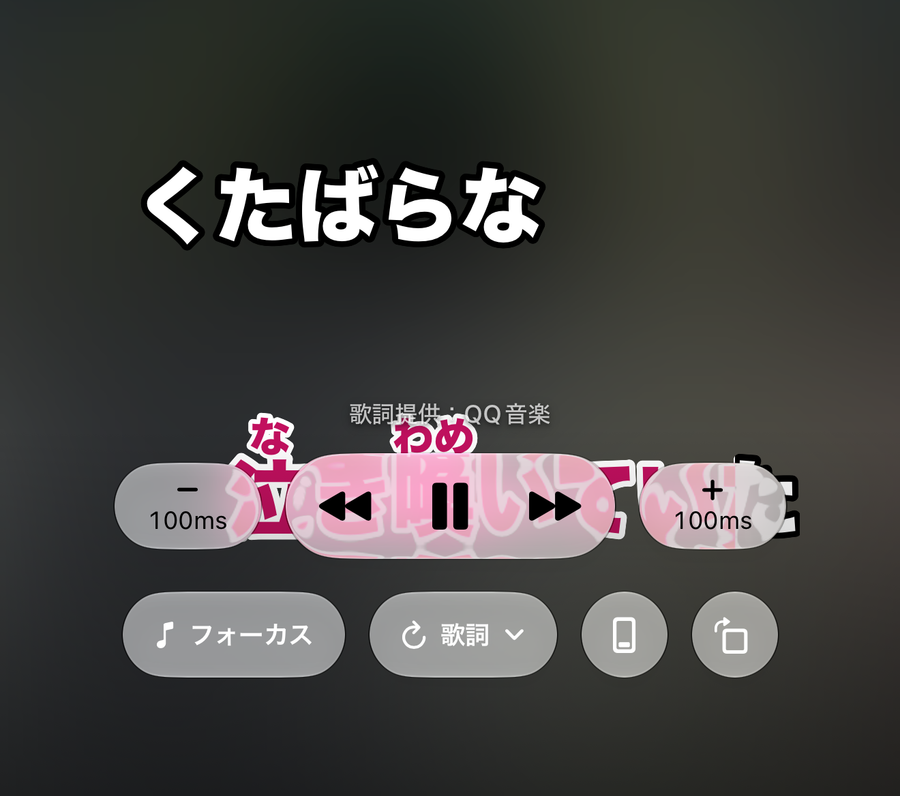
Tap the singing screen to bring up the controls, then press − or +. Each press moves the lyrics 0.1 seconds earlier or later. The adjustment is saved per song, so it’s still there next time unless you switch to different lyrics. If the lyrics lag behind the audio, move them earlier. If they run ahead, move them later.
What if every song is off?
Earphone or speaker delay affects every song the same way. Don’t fix songs one by one. Open Settings, go to Sync, and set “Earphone / speaker delay” once. It applies the same amount to all songs, and once it’s not 0, a button appears to reset it to 0 ms. Each song’s own nudge stacks on top of it.

What if the wrong lyrics show up?
For Apple Music songs, open the Lyrics menu on the singing screen and choose “Find Lyrics…”. It lists candidates from several lyrics sources. Tap one to preview its line count and first few lines. If it looks right, press “Use These Lyrics”. The lyrics you pick are pinned, and that song won’t be searched again automatically.
What does pinning do?
A pinned song is marked “Pinned” in the “Find Lyrics…” candidate list. Your choice wins over automatic selection. To go back, choose “Unpin” in the Lyrics menu and the app searches automatically again. If the lyrics simply didn’t load properly, “Reload Lyrics” can sometimes fix it.
What about songs with no lyrics, or instrumentals?
When no synced lyrics are found, you’ll see “No Synced Lyrics Found for This Song” and the music just plays. For an Apple Music song without vocals, choose “Mark as Instrumental” in the Lyrics menu. The screen then says “This Song Is Instrumental”. If you marked it by mistake, “Unmark Instrumental” undoes it.

Related reading: how word-by-word lyrics work; solo karaoke with Apple Music.