
What Is Solo Karaoke? How to Start and Enjoy It

Solo karaoke, called hitokara in Japan, is simply going to karaoke by yourself. You don’t have to match anyone else, and you can sing whatever you like. There’s no real preparation. Start with songs you know well, sip some water, and take it slowly.
What is solo karaoke?
It’s singing alone in a private room. You choose the songs, the key, and the order. Sing the same song over and over if you want, or stop halfway. With nobody to worry about, it works well for practice or just clearing your head.
How do I get started?
Find a place that welcomes single guests, and tell the front desk how many people there are. Once you’re in the room, queue up one song you know well first. When your voice is warm, add the songs you want to try. Rules differ from place to place, so just ask at the desk if you’re unsure.

How do I pick songs that are easy to sing?
At first, choose songs where you remember most of the words, at least around the chorus. Slower songs with a pitch close to your speaking voice are easier. If a song feels too high or too low, change the key. Once you’re comfortable, mix in a few harder songs, and progress is easier to notice.
How do I protect my throat?
Warm up with a few light sounds before you start. Keep sipping room-temperature water or tea as you sing. Singing loudly nonstop is tiring, so rest between songs. If your voice starts to get hoarse, rest a bit before you continue. If your throat starts to hurt, don’t push it. Call it a day.

Can I do it at home?
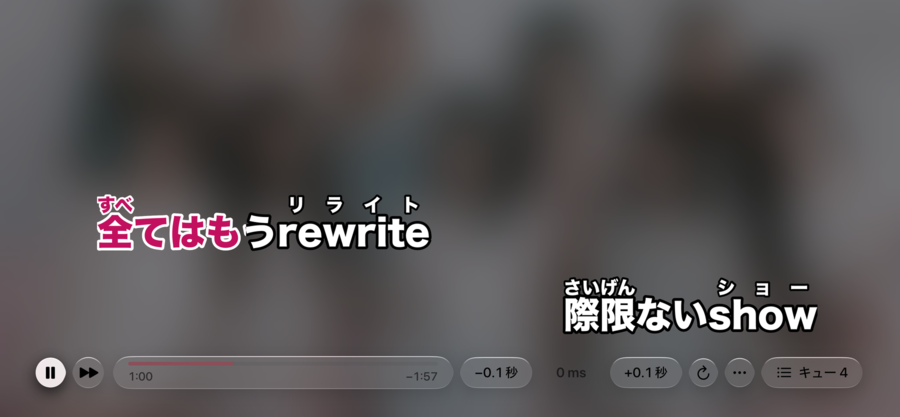
Yes. Put the lyrics on your phone or TV, play the music you usually listen to, and you’ve got karaoke at home. The steps are simple: play a song, show the lyrics on the screen, and sing out loud. There’s no clock to watch, and you can sing in whatever you’re wearing.
What should I read next?
- the first-timer’s guide to the karaoke box: from the front desk to checkout
- warming up before you sing: easy voice prep and care
- choosing your karaoke key: how to judge pitch and shift up or down
- karaoke terms explained: backing track, guide melody and more
- setting up karaoke at home: mic, speaker placement and feedback
- pronouncing Japanese songs: vowels, long sounds and a practice order
The Hitokara app follows the song playing in Apple Music, changes the color of the lyrics in time with the song, and adds furigana above kanji. It works on iPhone, iPad, Mac, and Apple TV.